iOS Today 783 Transcript
Please be advised this transcript is AI-generated and may not be word for word. Time codes refer to the approximate times in the ad-supported version of the show.
Mikah Sargent [00:00:00]:
Coming up on iOS today, it's the holidays, so it's time for a quick best of a reminder of some of the best work that Rosemary and I did this year. Stay tuned. Podcasts you love from people you trust. This is twit. This is iOS today. Episode 783 with Rosemary Orchard & Mikah Sargent, recorded throughout 2025 for Thursday January 1, 2026. Best of 2025 Season's Greetings iOS today pals. I hope that if your holidays have come to a close, or they're just getting underway, or they're somewhere in between, you're having a great time. This is an opportunity for us to celebrate the year of iOS today.
Mikah Sargent [00:00:50]:
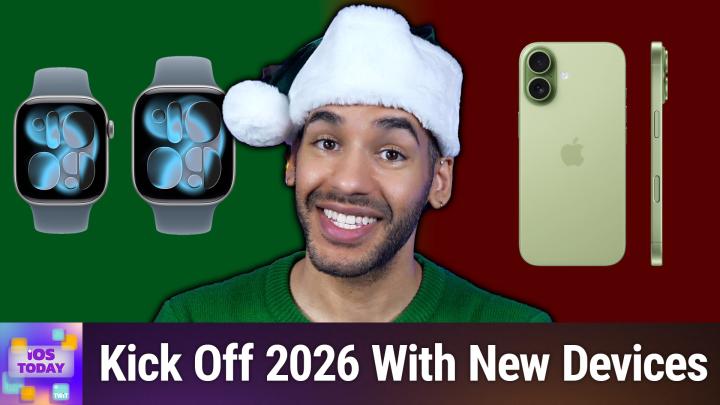
And honestly, when I look back on the work we did this year, we got some of the best feedback and I think I feel the proudest of two specific episodes of iOS today. I'm obviously in love with all of the work that we've done, but these two episodes really meant a lot to those of you out there who told us about them. And so yeah, I think it's time to highlight the work that Rosemary and I did earlier this year in helping you determine which devices you should buy. So up first we'll talk about choosing a new Apple Watch, and after that we'll talk about which iPhone you should pick. If you haven't gotten the latest devices and you're thinking about kicking off the new year with one of them, well, now's the time to give it a go. And hey, no worries if you want to fast forward through the watch. If you just need to hear about the phone or you just want to hear about the watch and don't need to pick out a new phone. We love that you tune in every year, so take a listen or a watch to our coverage of which Apple watch and iPhone is right for you.
Mikah Sargent [00:01:59]:
If you haven't heard by now, our survey is underway and it's going strong, but we don't want to miss your feedback. So if you haven't done it yet, please take a moment to fill it out before it closes on January 31st. It only takes a few minutes and helps us improve your listening experience and helps us understand a little bit more about you. Head to Twitter TV survey 26 to take it. And of course, thanks so much. Apple recently at its all Dropping event announced a whole slew of new devices and with that came a great lineup of Apple watches and it perhaps is more complex than ever when it comes to what Apple provides. And so after doing an episode where we talked all about the various iPhone models and helped you make a choice that way. We heard from folks who said, hey, would you be able to give us some thoughts on which Apple watch would be right for you or right for, you know, whatever person? We said, yes, yes, we will.
Mikah Sargent [00:03:03]:
So that's what we're going to do. Today Apple announced the Apple Watch SE3, which is the new, least expensive model, the Apple Watch Series 11 which is its standard model, and the Apple Watch Ultra 3, which is that sort of sport watch, very complex model that it has. And so let's talk first and foremost about the series 11 before we kind of go up and down from there. The Apple Watch Series 11 comes in four aluminum colors and three titanium colors. And I guess cases is the best way to put it. So you do have amongst the watches the most choices available to you. Given that it comes in rose gold, in silver, in space gray and in jet black as well, as I mentioned, those titanium cases which include slate, which is sort of the blacker color, gold and natural. I've always really liked the natural titanium options.
Mikah Sargent [00:04:09]:
It is for the cellular version of the Apple Watch, it starts at 499 and the non cellular version of the Apple watch starts at 399. It comes in two case sizes as well, 46 millimeters and 42 millimeters. So you do have that smaller and larger option. And that's important because if you have owned an Apple Watch up to this point, then you have probably purchased at least more than one Apple watch band. And so the case size that you've had up to this point will sort of inform which of the Apple Watches you get in order to get the band that will fit your Apple Watch. So you can kind of think of them as the smaller one or the larger one. If you've always had the larger Apple Watch, then you'll have the larger Apple Watch bands. And so you need to get the larger case.
Mikah Sargent [00:05:08]:
If you've always had had the smaller one, then you'll want the smaller one again because your Apple Watch bands will be made to fit the smaller case. Each of the models that we'll be talking about today, all I should say all of the models have an always on Retina display. So that's really great that no matter what you get, you're always going to be able to glance down at your watch and quickly kind of tell the time. You are getting a pretty good brightness. With the Apple Watch Series 11 at up to 2,000 nits, that's going to compare to the SE that only gets 1000. But everything else as far as the display goes, is relatively the same between them. There are some features that are specific to the Apple Watch, Series 11 and the Ultra that you won't get with the SE3. So if hypertension notifications are important to you, that's exclusive to these models as well as the ECG electrocardiogram measurements, that's exclusive to the Ultra and the Series 11.
Mikah Sargent [00:06:19]:
It is not part of the SE3. And then on the Series 11 and the Ultra 3, you can use the blood oxygen app to have your iPhone if you're in the U.S. tell you what your blood oxygen levels are. They all offer sleep tracking, sleep apnea notifications and sleep score, so you're not missing out on anything there. They all offer respiratory rate, heart rate, wrist temperature and sleep duration tracking. They all offer cycle tracking and they all offer emergency sos. The Ultra is the only one that offers it via satellite, so you're getting quite a good experience regardless. Again, of the different phones that are available or, excuse me, the different watches that are available.
Mikah Sargent [00:07:09]:
And that means that you can also count on water resistance of up to 50 meters and some of the other things like being able to swim with, with the watch. Each of them allows technically for, for swimming, so that's something that you will be able to do. They all have the S10 chip in them. That' big thing to keep in mind is that you are not having to deal with a different system on a chip depending on which one you get. But it is important to note and understand that Only the Series 11 and the Ultra 3 offer what's called precision finding. And what that is is it has an Ultra wideband chip inside that lets you sort of narrow in on whatever is missing. So if you're trying to find your iPhone and you just have your watch on your WR, then the Series 11 and the Ultra 3 are going to do a better job of that. Battery life is going to be different, of course, between the Series 11, the Ultra and the SE3.
Mikah Sargent [00:08:17]:
Huge battery life on Ultra 3 at up to 42 hours. The Series 11 is meant to last a day, 24 hours. The SE3 has the smallest amount at 18 hours. But again, something that's really great this year, I feel, Rosemary, is that we have for once a really close comparison between the various models of Apple Watch. I think some of the, the coolest features and the most important features are all there on the Apple Watch. And that I think is pretty exciting because it makes it easier to perhaps say, you know, I don't think that you need the series version I think the SE version is fine for you. And that's something certainly that has been part of my advice when I've had a couple of people reach out about which watch they wanted to get or should get. I said, you know, I don't think you need more than the SE3.
Mikah Sargent [00:09:28]:
So yeah, that's kind of an initial look and we'll, we'll break things down from there.
Rosemary Orchard [00:09:33]:
Yes, yeah, I think, you know, one of the, the other things to remember is if you're looking at upgrading, how old is your current watch?
Rosemary Orchard [00:09:41]:
Is it supported?
Rosemary Orchard [00:09:43]:
Because on WatchOS 26, if you have an iPhone, an Apple Watch, sorry, SE2 or 3, or an Apple Watch Series 6 or newer, and that includes all of the Apple Watch ultras, then you can get WatchOS 26, which at least software wise is going to give you all the new features and the new faces and so on. But personally, for me, coming from an I, from a Apple Watch 10, you know, the big difference would be potentially 5G. I don't purchase a cellular Apple Watch, so that doesn't make a difference. And then battery life is the other big one. Now I'm not saying that battery life is not a worthy reason to upgrade, it is absolutely a great reason to upgrade, but due to the way that I charge my watch, I don't really have an issue with the battery life on my Apple Watch anyway. So it honestly just works out pretty well for me that I've decided this year is not a year that I'm upgrading. However, next year will almost certainly be an upgrade year because it will just be a little bit closer to or a little bit more of an upgrade at that point and then I can pass it down to my parents as well and they will also enjoy a bigger jump with the, the new watches. But it is worth considering and comparing, you know, Apple has a great comparison site where you can see, you know, all the way back to Apple Watch Series 1.
Rosemary Orchard [00:11:05]:
What is the difference? Well, you know, if you had an Apple Watch Series one and that's the watch you're currently rocking, well, your display is only 450nits and now it can go up to 2000nits and you've got wide angle OLED, ECG, hypertension notifications and all of those things. So it's well worth actually the comparison feature on the Apple Watch website to see what, what differences might you be getting between your devices. Because yes, that's. That for me meant that I went through and I looked at the series 10 versus series 11 and I played up and spot the difference. And you know there are differences but for me, not enough to say I'm definitely upgrading this year.
Mikah Sargent [00:11:48]:
I love that Apple has quantified by the way, what all day battery life looks like. So with the here's Apple's definition. All day battery life is based on the following use 300 time checks, 90 notifications, 15 minutes of app use, and a 60 minute workout with music playback from Apple Watch via Bluetooth over the course of 18 hours. Apple Watch SE3 the GPS usage includes connection to iPhone via Bluetooth during the entire 18 hour test. Apple Watch SE3 with GPS and cellular includes a total of 4 hours of cellular connection and 14 hours of connection to iPhone via Bluetooth over the course of the 18 hours. Battery life in low power mode including sleep tracking is based on the following use. This is far more 430 time checks, 130 notifications, 20 minutes of app use, a 60 minute workout which is the same with music playback from Apple Watch via bluetooth and that six hours of sleep tracking over the course of 32 hours. Only six hours.
Mikah Sargent [00:13:05]:
That's not enough sleep. Again, I really like that this is done this way. Testing was conducted by Apple in July and August of 2025 using pre production Apple Watch and Apple Watch SE3 GPS plus cellular. Of course that is for that version of the phone or excuse me, I keep saying phone of the Watch. It is also defined for the Apple Watch Series 11 and for the Ultra. For the Ultra 600 time checks, 180 notifications, 30 minutes of app use. So I like that it's kind of broken down into what Apple defines as all day use as opposed to it just being like oh yeah, I kind of touched it throughout the day, looked at it a couple of times and you know, did this, did that. It's nice to see and hear what exactly that is defined as.
Mikah Sargent [00:14:01]:
So let's now kind of talk about the watches. Oh and I wanted to mention too, Kevin in our discord brings up a good point says I've been obsessed regarding the differences between the two watches battery life. The 46 millimeter is about 10% larger battery than the 42 millimeter which gives about an hour longer juice. So bear that in mind as well that the Obviously if you're getting a bigger case, a bigger case means it can have more battery inside and more battery means more battery life. So let's kind of start at the Apple Watch SE3. Are you curious about Club Twitter? I can't blame you. It's our premium membership that transforms your Twit experience every show ad free and uninterrupted exclusive podcasts you won't find anywhere else, behind the scenes content and VIP access to our private Discord community where you can connect directly with hosts and fellow tech enthusiasts. Sound good and ready to Upgrade? Visit TWiT TV Club TWiT so you decide you want a new Apple Watch and the SE3 which is a mere 299 for the GPS and cellular or 249 for just the GPS is where we begin.
Mikah Sargent [00:15:20]:
You have two choices in a darker color which they call midnight and it's aluminum or Starlight which is the lighter color of aluminum and it comes in two sizes so that's going to be the same. It's got that always on retina display. It's got heart rate notifications, irregular rhythm notifications, low cardio fitness notifications, it's got sleep tracking. So you're getting so much of what an Apple Watch can provide. What would take you out of the SE3 and bump you up to the Series 11? If you want if you have if your family has a history of high blood pressure or you have a history of high blood pressure, or you just want to know what the watch can tell you about hypertension, that could be a reason to upgrade to the series 11 over the SE3. If you'd like to do ECG measurements which are for looking for arrhythmias of different types, then you would need to upgrade. It does not provide ECG and if you want to keep track of your blood oxygen then this is also another reason to upgrade from the SE3 to the Series 11. Outside of that, if you want to if you're someone who dives or snorkels, then you would want to at least go to the series 11 because the series 11 has a depth gauge to 6 meters and also that built in water temperature sensor so that you can kind of keep track of that.
Mikah Sargent [00:17:07]:
And as we mentioned before, if you like the idea of being able to precisely find your iPhone or other ultra wideband items like anything that an airtag is attached to, then the SE3 does not have that. So you would want to upgrade as well. I don't think it's enough to say that you are wanting to upgrade simply because the color is not available to you, but maybe that is the case. So if you want more than either the dark one or the light one, you would want to at least upgrade to the series 11. And the last thing that would be of importance to you, a reason why you would want to go up from the SE3 is that the SE3 has a nylon composite and sapphire crystal back. So because of the material that's on the back of the SE3, it's going to be more prone to scratches than what you would get from the case of the Apple Watch Series 11 and the Apple Watch Ultra 3. It is not as strong as those other models. So if you see yourself using this as more of an action watch, or if you tend to be kind of, I don't know, clumsy, then that's another reason why the SE3 might not be a good choice for you.
Rosemary Orchard [00:18:41]:
But again, the screen is also not quite as bright. It can only do up to 1000 nits of brightness and it has a minimum of 2 nits of brightness versus the Series 11, which goes up to 2000 nits of brightness.
Rosemary Orchard [00:18:53]:
That's twice.
Rosemary Orchard [00:18:54]:
Twice as bright. And it can go down to one. It is the minimum brightness. So if you're somebody that does, I don't know, work in a darkened theater and need to check the time on your watch, you know that it's probably not going to make a huge difference. But if you're working in bright sunlight, that extra brightness could be really useful.
Mikah Sargent [00:19:12]:
Absolutely. And that's pretty much it when it comes to the. The differences between them. More importantly, why you would want to go up to the series 11 over the SE3. You do get a little bit more battery life on the S, or, excuse me, on the Series and of course on the Ultra, which we'll talk about just momentarily. But 18 hours versus 24 hours, if you're charging it every night or you're charging it, you know, when you wake up, let's say you do want to use it for sleep tracking. So when you get up in the morning and you do your morning routine, you pop it on the charger, then you're probably going to be okay when you, you know, you need to pop it on again as you're getting ready for bed. Right.
Mikah Sargent [00:19:59]:
18 hour versus 24 hour, not a huge difference. Unless you're kind of going, I'd say with a smaller case size, in which case the Series 11 might be a better bet for you. I guess I would say if sleep tracking is the main reason you're thinking about getting the Apple Watch, that might be another reason that I would say just go ahead and. And. Or if you can go for the series 11 instead. So I've said all the reasons why you might want to get the Series 11 instead of the SE3, assuming that the SE3 is kind of where you go in and you need to go up from there. Why would you want to get the Ultra 3 over the Series 11? Well, first and foremost, much bigger screen, 49 millimeter case instead of the 46 millimeter case. And, and the display is also far brighter.
Mikah Sargent [00:20:55]:
So a, if you just want the biggest possible watch screen on your wrist, well that's going to be the Ultra. Pair that with if you are outside a lot or if you find that the Apple Watches you've had up to this point are difficult to read in bright light or even in, you know, semi bright light. Then again, the Ultra 3 has a far brighter screen. It can go up to 3,000 nits of brightness. That's a whole more thousand nits over the Series 11. It has the same hypertension notifications and ECG app and blood oxygen app as the Series 11. So that's not going to make a difference. If you find yourself in places that do not have cellular connectivity and you are wanting to have emergency connectivity, then that could also be a reason that you go with your Apple Watch.
Mikah Sargent [00:21:52]:
Particularly if you're going places without your phone there and so you don't have satellite connectivity. Otherwise the Ultra is the only watch that has that functionality. It's also the only watch that has a built in siren. So this is really helpful if you are lost and you know people are trying to find you. The siren that's inside of it is specifically designed and has specific frequencies made to sound to, to, to be able to be heard over longer distances. So it's sort of designed to do that. Exactly. If you are a scuba diver, if you like to snorkel, if you do other like water sports, this is the other reason to go with the Apple Watch Ultra 3 because it is water resistant up to 100 meters.
Mikah Sargent [00:22:45]:
That's, that's double the water resistance of the SE3 and the Series 11. And again Scuba, that's because it has a depth gauge to 40 meters and that built in water temperature sensor. So 6 meters for the series 11, 40 meters for the ultra 3. It also has dual frequency GPS. And so that means that the GPS is just a little bit more precise. By having kind of two frequencies it can narrow in on a location better than the standard GPS you get. Otherwise the gestures are the same across the devices. The other big thing, 42 hours of battery life.
Mikah Sargent [00:23:28]:
If there's one thing I can say about my Apple Watch Ultra, it's that I don't ever really worry about battery life on it. There have been a Couple of times where. Because I don't. I don't. I have an OURA ring. And so I don't use my Apple Watch for sleep tracking, but there have been a couple of times where I've gone to sleep. And for some reason that night, something was off about my routine. And so I didn't put my Apple Watch on the charger, unlike normal, which I usually do.
Mikah Sargent [00:23:56]:
And so I wake up the next day and go the whole day without needing to charge it. And so, yes, the battery life on this thing is quite impressive. It also has a ceramic and sapphire crystal back over the SE3 and the Series 11, which feature metal and sapphire for the Series 11. And again we mentioned nylon for the SE3. So bigger screen, much better battery life, brighter screen, the diving and sort of location tracking when you're out and about. And then I don't think this is important, but perhaps there are some people out there who do. The Apple Watch Ultra 3 does feature dual speakers. So if you plan to rock out from your Apple Watch, or I think more likely take calls from your Apple Watch, like Inspector Gadget, then you are able to do so with a little bit better sound from.
Mikah Sargent [00:25:02]:
From your Ultra 3.
Rosemary Orchard [00:25:04]:
Or you could just pair some AirPods.
Rosemary Orchard [00:25:06]:
To it, because that's gonna get better.
Rosemary Orchard [00:25:08]:
Sound for you and not annoy everybody.
Mikah Sargent [00:25:10]:
And not annoy everyone else.
Rosemary Orchard [00:25:12]:
Exactly.
Mikah Sargent [00:25:12]:
Please don't do it.
Rosemary Orchard [00:25:15]:
Yeah. The one thing I will say that I hate about the Ultra, and I'm really sad about that, is it's too big. Okay.
Rosemary Orchard [00:25:24]:
This is an Apple Watch Ultra.
Rosemary Orchard [00:25:25]:
This is the first Apple Watch Ultra.
Rosemary Orchard [00:25:27]:
Because I bought one because it has that magic action button. You can program it with shortcuts to do different things, which seems amazing.
Rosemary Orchard [00:25:34]:
It was quite slow.
Rosemary Orchard [00:25:34]:
I'm sure it's faster in modern versions. Okay, here is my Apple Watch, and this is the small Apple Watch Series 10.
Rosemary Orchard [00:25:42]:
Okay.
Rosemary Orchard [00:25:42]:
I'm saying small because it started out as 38 millimeters, is now 40, 42. It doesn't really matter. Okay. And this is the Ultra on my wrist.
Rosemary Orchard [00:25:51]:
Okay.
Rosemary Orchard [00:25:52]:
If I try and just hold it in front, it's a little bit difficult to see. It is the size of my wrist. If I put this directly on my wrist, it overhangs on either side. I can't use Apple's provided straps, even in the smallest version, because they literally go around and, like stick up and there's a tail. So if you have small wrists, for whatever reason, maybe you just have small wrists like I do. Maybe you're looking at getting this for a child who's forgetful about charging things. You need to bear that in mind.
Rosemary Orchard [00:26:23]:
Because the other thing I found is.
Rosemary Orchard [00:26:24]:
Third party straps also don't fit because they assume that if you're using an Ultra and therefore it's a big watch, you are a big person. I am not a big person. I am a regular sized human being, thank you very much. And I will admit that I am on the slimmer side, but I'm five seven so, you know, I'm not exactly short that, you know, I have bones. I exist as a person and you can see me from all angles. It's just if you stick the Ultra on my wrist, then it's like I have a second wrist stuck to my wrist because it's just hanging off the sides. Like I genuinely, if I put that on my wrist, flat on my wrist, I can cannot see my wrist behind it. You know, it depends on the angle obviously, but it's, it's humongous.
Rosemary Orchard [00:27:06]:
And that is the one thing I hate about the Ultra. And I really wish that they would.
Rosemary Orchard [00:27:09]:
Do a small version of it because I would love a small version.
Rosemary Orchard [00:27:12]:
I love the flat screen so that.
Rosemary Orchard [00:27:14]:
There'S that little bumper around it that's made of metal. So you're this late to catch it and scratch it and break it. But yeah, it, it's just humongous. It's thick, it's bulky and I, I wish it was smaller. I wish they offered an Ultra Mini, an Ultra Micro, an Ultra Nano, that would be awesome. But sadly they do not.
Mikah Sargent [00:27:35]:
Oh, darn it, darn it, darn it. I'm still rocking my Apple Watch Ultra 2 and very happy with it. If you've got the Ultra or the Ultra 2, don't really feel like you need to upgrade to the Ultra 3 if you are planning on getting the Series 11, like you're definitely locked into the Series watch and you have a series 10, probably not necessary. Series nine or before. It's starting to look a lot more interesting just because as I mentioned, they've really tried to kind of fill out the rest of the lineup with everything that the other watches have. If you're rocking an sea of second or first generation, upgrading to the SE3 is still going to be quite an upgrade because that's especially the watch that got a lot of attention this year with feature parody across the line. So really great stuff on the Apple Watch lineup. And thank you to our listener who asked us to cover the latest from Apple in terms of, of watches and which Apple watch you should get.
Mikah Sargent [00:28:51]:
We know by now surely you as an iOS today listener have read a little bit about the iPhones or perhaps you watched the event, or perhaps you watched, if you're a member of club twit, the coverage with Leah Laporte and yours truly where we had kind of live commentary for the event going on. So you know about the iPhone. You know Apple announced new iPhones at the awe dropping event. Now it's time to kind of understand what exactly Apple has announced. And that of course starts with understanding the models that are available. There's the iPhone 17, there's the iPhone 17 Pro and Pro Max, and there's the iPhone air. So when it comes to kind of understanding the difference between those, that's what we aim to do today and talk about the screen sizes, the, the sort of materials that it's made up with the chip inside and then kind of think about what might be the right choice for you. Before we do that though, Rosemary, I would love to know what iPhone is going to be making its way to you and tell us about your pre order process.
Mikah Sargent [00:30:12]:
How did things go? How did they not go, et cetera, et cetera.
Rosemary Orchard [00:30:17]:
Well, I have Pre ordered a 512 gigabyte iPhone Pro 17 Pro in dark blue. I am intrigued by the orange, but it did not really speak enough to me to also inflict it on my dad who will be the person to inherit the iPhone one year later. Because that's what my family do. We have a hand me down system where iPhones get at least a five year lifespan if not longer. And my dad's probably not gonna love the orange, but the dark blue he was excited by. So yeah, I set myself up with a pre order ready in advance of the Friday because after Apple announce the new iPhones they pop up a little thing on the Apple store app. You know, give it an hour or so and then you can set up your pre order. And then about three minutes before I started checking to see whether or not the app store is back to back up because occasionally it mysteriously pops back up a minute or so early.
Rosemary Orchard [00:31:11]:
It did not.
Mikah Sargent [00:31:12]:
What time is it there?
Rosemary Orchard [00:31:13]:
Yeah, that was 1pm My time, which is pretty nice. So I got lucky over here. It was just lunchtime for me. That didn't work so I forced quit the app a few times after the, the, you know, the bell tolled which was an alarm on my iPhone. Yes, because I'm that kind of nerd. And yeah, I managed to get in, pre ordered it and got a launch day delivery confirmed straight off the bat, which Was great, I think over here in the uk because if you buy directly from Apple, there are no carrier options. It's just all, you know, any carrier. So that makes it a little bit easier for them so they don't have to worry that they're running out of AT&T iPhones versus Verizon iPhones or whatever.
Rosemary Orchard [00:31:54]:
So you're less likely to see launch dates slipping that quickly. But yeah, it was went pretty well for me. But I know your experience wasn't quite the same as mine, but I believe you and I may be iPhone twins this year.
Mikah Sargent [00:32:07]:
Yeah. So certainly not as smooth. A couple of things I like. Rosemary went through the same process and in fact, if you are a actually, I always forget you don't have to be a member of Club Twit to get this. My last episode of Hands on Apple was all about how to pre order the iPhone and walked through and walks through the process that Rosemary talked a little bit about there. So if you are, you know, wanting to prepare for next year, if you had any issues, you can kind of study up with that video that shows you how to set the pre order within the app and everything that's involved. So I did that as well. I knew from the time that the phones were announced and until it came time to do the pre order and the setup of the pre order that I wanted the deep blue.
Mikah Sargent [00:32:59]:
I think the orange is gorgeous, but I am not usually a fan of orange and so I just appreciated it as a striking, beautiful design. But as a person who loves green, I knew that the deep blue and the green were going to pair well together when it came. If my case is, if I'm getting a case and it's not a clear case, then I want it to be green. And I wanted to try Apple's tech woven case. So oddly enough, more than anything else, it was actually the green tech woven case from Apple that sold me on the deep blue iPhone. So I went in and I set up a pre order for the 512 gigabyte iPhone 17 Pro in deep blue. Excuse me, iPhone 17 Pro Max in deep blue. And that is the one that I, you know, at the time to go through on Friday to do that pre order.
Mikah Sargent [00:34:02]:
Now for those of us in Pacific time, pre orders begin at 5 in the morning. What's funny is I used to live in central time and when I lived in central time, Apple still had pre orders set with Pacific time people in mind. And so it was very late in the night in central time. And so when I moved to the coast. I thought, oh, finally my iPhone pre orders are going to be at a great time. And it just so happened that the year I moved was the year that Apple shifted its times away from being kind to Pacific timers to everyone else. And so yes, for me, five in the morning, so I had an Alarm set for 4:55am I think I woke up a couple of minutes before my alarm went off and I sort of got ready and it was taking a minute, but stuff was happening where it would switch from. Like we're getting ready to bring you in to hold on, it's almost time.
Mikah Sargent [00:35:10]:
And so I didn't do any force quitting or anything like that. It seemed like everything was locked in. And one thing you don't know for sure, that's never been made clear to us as outsiders is is it possible that if you sort of start up on a new device and so your IP pings their servers that it's going to reset your place in line this, that there are all these little fears, right, that you have have as you're sitting there in my case at nearly five in the morning, is it going to be what I expect it to be? And am I going to be able to get the phone that I'm expecting? Well, I, you know, 505 rolled around and that's when I finally got into the store and I went through did the, you know, because it's just a couple of steps since I already had preset everything and I was getting quoted for the 24th delivery on the. Or actually might have been the 25th delivery on the 24th or the 25th. For folks who don't know Apple's iPhone launch day is this Friday the 19th. And so that's not great. As a person who does what we do for a living, you want to get it as soon as possible. Particularly because I was aiming to do an episode of Hands On Tape Tech this coming Sunday about the new iPhone.
Mikah Sargent [00:36:33]:
Well, I went through and tried everything. I tried, instead of getting delivery, I tried having a pickup, no pickup. I said, okay, well I'll change it to a different color. So I switched. I was like, oh, I could do orange. I tried orange. No, there aren't going to be any until the 25th. I tried silver.
Mikah Sargent [00:36:53]:
I did everything while still keeping with the iPhone 17 Pro, even changing all the way storage sizes. I was just curious, okay, well, well what if I did 2 terabytes? I wouldn't do it, but just to see that was still quoting later than the 19th. So I said, well, if Everything is going to be later. Then that's fine because everyone who's not part of the actual review embargo, who gets them ahead of time, won't get them until I'm getting mine. Anyway, so I went through with my original deep blue 5001217 Pro Max. And then I was speaking with Rosemary leading up to the show, and Rosemary said, or asked if Rosemary got, you know, launch day quoted. She did. Awesome.
Mikah Sargent [00:37:37]:
I did not boo. But, you know, you get what you get and you don't throw a fit. And she said, well, here's the thing. Some people I've heard have gotten an email saying that their launch day or that their. Their shipping date is actually the 19th instead of later on. So the next morning I got an email and it said, hey, your iPhone will arrive on the 19th. So yay. Sounds like, yes, we're going to be phone twins.
Mikah Sargent [00:38:05]:
And that is exciting. That is kind of the process this year with pre orders. It's, you know, you never know what you're going to get when it comes to pre orders and the app versus the website and how people kind of explore that. But what we're left with this year is again, a lineup of four phones. The 17, the Air, the 17 Pro, and the 17 Pro Max. Now, let's start with the iPhone 17, because Rosemary and I were both talking about kind of understanding the different phones and the lineup and coming to terms with the fact that this year there's not an iPhone 17 and iPhone 17 plus, there's simply an iPhone 17 with a 6.3-inch display that again, is a little different from what we've seen in years past because Apple offered a larger screen size in that 17 mode. And of course, there are several pretty colors for the 17. Sort of a light lavendery purple, a green sage and sort of smoky or cloudy blue, as well as just your standard white and black.
Mikah Sargent [00:39:23]:
The 6.3-inch iPhone 17 has an aluminum frame. Important to note, this is not the same as the aluminum unibody we'll talk about with the pro, but is just an aluminum frame. And all of Apple's new phones have that camera control button, as one would expect, as well as the action button, which one might not expect. So all of the phones all have all the buttons again of Apple's new phones, because Apple is offering the iPhone 16e, we won't be talking about that today. And the other thing to note is that the only phone that has these, the sort of simple A19 chip, just the A19 chip, is that iPhone 17 model. The other phones we'll talk about today have the pro chip. Now I would love to hear kind of your thoughts, Rosemary. You know, and learning about the iPhone 17 and its two camera system.
Mikah Sargent [00:40:27]:
It's got a dual fusion camera system, the main camera, and then the ultra wide camera, plus that updated front camera that I was pretty excited about.
Rosemary Orchard [00:40:39]:
Yeah, I'm excited about the front camera. And when they updated the regular iPhone several years ago to come with more than one camera versus the pro, which comes with all the cameras, I started going, oh, maybe, maybe I should go for the regular model. Unfortunately, the lens that I would say I use most frequently is the time telephoto lens for zooming in that five times optical zoom that gets me every single time. So that is why I always end up leaning onto the pro side of the iPhone rather than the, the, the, the regular model. However, it is, you know, it is pretty exciting. I think that center stage front camera is going to be really great for a lot of people because a lot of people do want landscape selfie photos, but they don't want to have to like flip their phone because then you end up, you know, holding it at a wonky angle. It's a little bit more difficult to control. You're more likely to drop your phone and everything.
Rosemary Orchard [00:41:43]:
So this way, you know, you've got that, that, that slightly easier option. And you know, the two cameras, they're good cameras. The fact that It's a full 48 megapixels with everything there now, because previously it was 48 megapixels, but you did it with a 12 megapixel photo. I'm not 100 certain if that's been completely updated, but I believe it's now 24 and 48 megapixels versus the 12 that you would end up with before. But it, it does also have, you know, that 2x zoom option in there. And you know, it's, it's pretty cool that the Tetra prism lens that they were talking about, talking about, that's in the profile. I think that's where it's going to get very exciting. But this is a great option for people who are looking for a smaller phone that fits in their pocket.
Rosemary Orchard [00:42:32]:
Perhaps, but they still want good cameras because that is, let's be honest, one of the key things that sells new iPhones every single year. People want great cameras to take photos of pets, kids, whatever they're doing. My dad has recently completely given up having any other kind of camera, except for he does have a DJI Osmo Pocket, which I gave him because I upgraded my DJI Osmo pocket. So he has that for video and panoramic photos and an iPhone, and that's it. And this is a man that used to carry multiple, and I literally mean two DSLRs with multiple lenses with him everywhere he went. He now just has an iPhone in his pocket. So, you know, some of that is just, you know, willingness to carry gear has significantly lessened as he's got a bit older. But a lot of it is just that the phone cameras have got that much better.
Rosemary Orchard [00:43:20]:
And it's a camera, it's always in your pocket. And if you. If you're going to use the camera, it's always with you. You want it to be a good one. And the iPhone 17 offers great cameras.
Mikah Sargent [00:43:29]:
It really does, I think. You know, bearing in mind that you can only get the smaller size. The 6.3-inch display, I've noticed note, it is bigger than the iPhone 16e display, which is 6.1 inches. So it's still an expansive display. But I do think about people who have their phone set to that larger visual size, that sort of zoomed display size. And in that case, that could be what shifts you away from the 17 kind of of climbing up the line more than anything else. Because outside of that, without making a huge jump to the Pro, if the Air is sort of the in between, right, you are getting two cameras, which is fantastic, as opposed to just the one, and you're getting more battery life, likely more battery life, plus all of the other stuff, and more options for zoom by way of having, you know, that dual camera system. So in that way, the 17 is really quite a prime choice if you're looking at it in comparison to the air, which we'll kind of talk about next.
Mikah Sargent [00:44:50]:
One thing again to note, though, is if you regularly have your display set to zoom, where it is sort of bigger icons, bigger text, bigger everything else, then maybe you do want a larger screen. And that could be the one thing that bumps you up from this device. You're getting that aluminum, which is lightweight. You're getting the everything else, like super Retina XDR display, the pro motion technology, which means that it can both raise and drop the screen refresh rate to accommodate what you're doing on the screen. You get the always on display, you get the dynamics island. All of that is part of it. So it's really the latest and greatest in so many ways. The only difference there then becomes if you need a larger screen, and that is where perhaps the iPhone air is something that could speak to you if you're not wanting to make the jump all the way to the pro because the iPhone air exists in the in between space until terms of cost.
Mikah Sargent [00:46:00]:
So let's talk about the iPhone air. The iPhone Air is 6.5 inches in. That's the screen size and it is, as Apple says, the thinnest iPhone ever. It's a little bit thicker than its current iPad pro. So not the thinnest device Apple has ever made, but the thinnest iPhone ever. It does have the pro chip in it, so you will get some sort of fantastic performance. It has a titanium frame, which makes sense. You need something that's quite strong.
Mikah Sargent [00:46:35]:
If you're going to make a phone as thin as this phone is now with it. There are a few caveats, right? First and foremost, one camera on the back. It's called the 48 megapixel fusion camera system. And they call that, they call it that because of the way that it's able to kind of serve as a multiple lens situation by doing some, some digital cropping after the fact. It will let you have zoom options including 1x and 2x. So it doesn't have obviously the 0.5x which is that ultra wide option that you get with a, a dual or triple camera system. So that's something to bear in mind. You got one camera on the back, but it's a great camera.
Mikah Sargent [00:47:30]:
It's, you know, going to take 24 megapixel and 48 megapixel photos. It uses all of Apple's fusion magic to take the best photo that it can. And here the big thing is of course that it is as thin as it is, as light as it is. And that's something that you don't get with the other options that are available to you. So I think that when you mentioned earlier when we were kind of talking about all of us wondering who is the iPhone air for? Perhaps it is that person who, who needs a larger screen size. But and that is the main thing that they need more than anything else. They need a larger screen size and you can keep it at that larger. I think about people who may have some sort of, you know, movement issues or some fatigue that takes place.
Mikah Sargent [00:48:32]:
So having something that's very thin and light while also kind of being bigger, that's nice.
Rosemary Orchard [00:48:37]:
Yeah.
Rosemary Orchard [00:48:38]:
I could see my grandmother really liking this. This she won't be getting it because the way that my family, hands down iPhones means that she's going to be, you know, about five years away from the iPhone 17 Pro that I will be getting in a couple of days when we record this episode. As we record this episode. But I could see it being a good phone for her because she needs the larger screen size. But a 6.9-inch iPhone 17 Pro Max you know, has to carry it while she's also, you know, struggling a little bit with her mobility. She's not completely stable on her feet. Her apple watch does say that her walking cadence is a little bit off. Surprise, surprise.
Rosemary Orchard [00:49:16]:
She's just had her second knee replacement of the year. So nobody is surprised by that. But it does mean that, you know, something as big as an iPhone 17 Pro Max, it's. It comes with a certain amount of weight to it, and if you compare the weights on the two of them, you know, it is quite a trick. Chunk. The iPhone Air is 165 grams, or 5.82 ounces, and the iPhone 17 Pro Max is 233 grams. That's almost 50% more or 8.22 ounces. So it's.
Rosemary Orchard [00:49:47]:
It weighs about 50% more again. And that is, you know, a chunk which, you know, especially when, you know, if you don't have huge hands, you know, I can comfortably hold this. I'm actually holding an iPhone 16 Pro, not a 17 Pro Max. I've got a case on it. I'm being a little sneaky, but I can comfortably hold this. I can. If I, you know, stretch, I could get a 17 pro max in my hands, but then I'm going to be struggling to reach and touch the things on the screen whilst also holding it comfortably as it is. I already add a magsafe pop socket to the back of my phone to make it a little easier for me to use because I.
Rosemary Orchard [00:50:24]:
I'm not willing to go down a size horizontally or, you know, diagonally from this, this phone size. But, you know, for the people that need a little bit more space, the fact that it's also thinner, that does actually help with holding it. Not just the weight, but it means that, you know, that thickness that would be taken, you know, that would take up some space in your hand, that would be less of an issue. It might be a little easier to grip equally. It might be a little bit more difficult to grip, But I'm sure somebody's gonna come out with a chunky otterbox case for it. I'm sure otterbox are working on it already. But the iPhone air does have one thing that none of the other iPhones this year have to offer, and that is A shiny new Apple MagSafe battery designed just for the iPhone air. Now they do say it has all day battery life.
Rosemary Orchard [00:51:11]:
I'm not sure it would have all day battery life for a user such as myself or perhaps you Micah. I find myself charging my pro during the day a little bit. But it does have a shiny new MagSafe battery that will only be compatible with the iPhone air because of the height that it takes up. So you'll be able to use it via USB C with other devices. But what is the point in purchasing the Apple MagSafe battery for the iPhone air if you can't mag safe it onto another device? I personally wouldn't. I'd go for one of the other options out there but yeah, it looks pretty nice to be honest. I want to go into an Apple store and have a play with one and see how it goes. But personally you can pry my three camera lenses out of my hands.
Rosemary Orchard [00:51:59]:
You can't. That is the point. I need my three lenses. I need that telephoto. I literally used it earlier today. Admittedly it was to take a photo of my tent because I packed my up tent in my parents back garden after drying it out overnight and this morning and I won versus the tent. It is a six man XL tent and I got it back into the bag by myself and shut and then I stood inside my parents back door. I went, I really should have taken a picture of that but I've just taken my shoes off and I was like ah, five times.
Rosemary Orchard [00:52:28]:
Optical zoom perfect all the time. So you know you're not getting away with taking my my telephoto lens away from me. I'm sorry but it is. Honestly, most people probably don't care about the telephoto lens. They care about the ultra wide more. That's why Apple's done it to me.
Rosemary Orchard [00:52:44]:
That's flipped.
Rosemary Orchard [00:52:44]:
I would want the telephoto lens more. Maybe that's why they put it on the Pro Max and the Pro to try and sell more of those. But yeah, I think I'm good with my choice but I want to play with an iPhone air just to see what it's like. Though the color options look a little anemic to say the least. If you compare the sky blue to the mist blue, it's just sad. It looks like white once met blue and then had significant memory loss and tried to remember what blue looked like and they don't even have a green which is just sad. Though to be fair, it would be the same as whatever that Brand of sparkling flavored water that doesn't have flavor in. That's really popular in the U.S.
Rosemary Orchard [00:53:25]:
croy. Yeah, that's the one. Yeah. Was once in the room with a strawberry and tried to evoke the memory of that.
Mikah Sargent [00:53:33]:
Yeah. The colors are a little sad. Although, as apple would probably say, they're very airy. Now, let's talk about the pro and the pro max, because this, of course, is at the high end of the pricing. So we've gone from the 17 at starting at $799 to Air, which starts at $999, to the Pro, which starts at 1099. The smaller Pro, the pro, not the Pro Max, is 6.3 inches, which is comparable to the iPhone 17. And then the Pro Max has a 6.9-inch screen size. Now, bear in mind that is in comparison to the 6.5 inch of the iPhone Air.
Mikah Sargent [00:54:17]:
So quite a bit larger in the scheme of things than the iPhone air. Unlike the air and the 17, the Air has, again, that titanium frame. The 17 has an aluminum frame, but unlike both of them, the 17 Pro has an aluminum unibody. So this is a little bit different from just having a frame. Apple sort of engineered this whole unibody enclosure so that the device is encased in this unibody that has all of this stuff built in such a way. It's kind of complicated to explain, but essentially it's all about better dissipating heat and keeping things as safe as possible. So, yes, instead of doing it in, in titanium, which we've had in the past, aluminum was used. It's, of course, very light, but we think that a big part of that is because of that thermal conductivity.
Mikah Sargent [00:55:27]:
I've heard complaints from folks with their iPhone 16 Pros that that titanium can.
Rosemary Orchard [00:55:33]:
Get a little warm.
Mikah Sargent [00:55:35]:
And so apple, on top of creating this unibody, also added a vapor chamber. There is water sealed inside of this chamber, and it helps to move heat away from the A19 Pro chip. So, like the Air, this also has the A19 Pro inside and gives you everything that you would expect outside of that. So once again, you get your super retina xdr display like you do across the rest of the lineup. The promotion tech that you get across the rest of the lineup, always on display. Dynamic island. The only thing that changes here with the frame is that it's a unibody aluminum. The A19 Pro chip in the iPhone 17 Pro and Pro max is a.
Mikah Sargent [00:56:29]:
A little bit better. It's got a six core GPU as opposed to a five core GPU. And Apple quotes up to 39 hours of video playback. So quite a bit more battery. And that's the idea here, is that look, what do we do if we go. It's the porque no los dos. Right. It's the why not do both of.
Mikah Sargent [00:56:54]:
We can do thin and light because we're Apple. So here's an air for you. Thin and light. Here are the compromises that need to be made. Now let's not compromise, let's make a Pro device that doesn't need to be thin and light because we've got that over there. Let's give it a great big battery and then also make sure that the camera system is what we would want it to be. So it's got a main and ultra wide and a telephoto lens, Rosemary's favorite, each of them 48 megapixels. And what that means is you've got some different zoom options.
Mikah Sargent [00:57:31]:
0.5x which is the ultra wide, 1x, 2x, 4x and 8x are all of the options on this lens. So Rosemary could have been standing at the front door of her parents house instead of the back door. Right. Leading to the garden and have taken a photo of the tent at that 8x optical zoom. Apple does some clever stuff with its cameras with, with its lenses rather of being able to kind of take a photo and do an optical like zoom. And so that's something to bear in mind. But it's been my experience that it does a pretty good job of pulling that off. So yeah, I think when it comes to the pro and pro max, of course the first question is can you afford this if you, if you're sort of like on the verge of okay, the Air, the Pro, the Air, the Pro.
Mikah Sargent [00:58:35]:
Yeah, look at what you feel you can afford. And if you can afford to go up more and you don't need it to be this thin light option, then I think the Pro really starts to make sense for anybody who's existing kind of right in that space. Particularly because all those delicious camera lenses that you get, which is really nice.
Rosemary Orchard [00:59:02]:
Yes. Yeah. It is worth mentioning that the battery life quoted at least on the US Apple comparison website applies to the esim only model phones which every iPhone in the US sold is esim only. The iPhone Air is ESIM only everywhere in the world. So that one doesn't change. But the iPhone 17, 17 Pro and 17 Pro Max in the UK at least, and probably most countries that are not the US still have a physical SIM card slot because many of our carriers are not yet able to support esim. Support for that is growing obviously everywhere around the world. But that in the case of the 17 Pro takes the battery life down from 33 hours to 31 hours and for the 17 Pro Max, that takes it down from 39 to 37 hours.
Rosemary Orchard [00:59:52]:
So you know, it's about a two hour difference taken up by that SIM card slot. Personally, I do only have an eim, so I would love to have an EIM only option. However, as I mentioned, I passed the iPhone down to my parents and my parents are on a carrier that at this moment in time at least does not have support for eims and I couldn't guarantee that they will buy next day year if I'm being perfectly honest. So, you know, it's, it's worth keeping that in mind if you're looking at the comparison information just to see, you know, what is or is not going to be the case with yours. If you are looking at upgrading now, if you look, if you did buy a new iPhone last year, you know.
Rosemary Orchard [01:00:31]:
Do you need to upgrade?
Rosemary Orchard [01:00:32]:
Depends on your personal situation. But I'm really looking forward to that. Eight times optical zoom. There's just so much that I could be, I could do with that. And also I have found this iPhone with the Titanium. It does get pretty toasty. I've been using my real Razer MagSafe cooler on it quite a bit over the last year as I've been doing things. And my dad with the 15 Pro is on holiday in Barbados and has had a number of times where the phone has got a bit too hot and just said no, I can't take photos right now.
Rosemary Orchard [01:01:05]:
Which is not great when you are trying to use it as a camera. I have suggested he stops keeping it in his pocket next to his body, which is also quite warm that apparently putting in my mom's handbag is actually, you know, significantly helping because it's not right next to a really warm body that is providing more heat back to the iPhone. But yeah, it will be good to have better thermals on that. So yeah, that'll be good. It's also worth noting that the, the newest fast charging that was quoted and talked about in the keynote where you'll be able to recharge the iPhone. I can't remember how much it was. Was it 50 in 20 minutes or so?
Mikah Sargent [01:01:45]:
I think it was 50.
Rosemary Orchard [01:01:46]:
Yeah, yeah, yeah. So that's using the latest version of USBC power delivery which a lot of chargers don't actually support, even if they, they support usb, C, power delivery or PD as it's often abbreviated to, they probably don't support the newest hardware version of that yet. So the only charger that I know of that is going to be able to do that is sold by Apple. It's about $40. It's not actually extortionately expensive. But if you are looking forward to that because you are somebody that randomly, like my dad, discovers that you forgot to charge your iPhone for the last two days, days, and you're about to leave the house and you need to charge your phone, you've got 20 minutes, I'm going to be getting in one of those chargers because we are going to need that in our household.
Mikah Sargent [01:02:31]:
Anything else? For advice for people as they are setting out to choose their new phone.
Rosemary Orchard [01:02:41]:
I would start by actually having a digital declutter of your current iPhone. Go and have a look in the storage information under settings. So that's under settings General and storage. And just see, first of all, how much space are you actually taking up on your current device? Could you maybe drop down a tier? And secondly, how much space is being taken up by apps that you do not use and you have not opened in a while. So if you swap the size, which is what the apps list automatically sorts by. If you swap that down to the last used date and you go, hey, okay, I'm going to scroll to the bottom of this list and see, you know, the apps that I have never, ever, ever, ever, ever used during the time that I've had this phone. How much space could I save? Because you'll probably find that there's a whole bunch of things where I'm looking at this going, what is this? And why do I have this installed? Definitely worth having a bit of a clear out and getting rid of some of those extra apps that you never use before you decide exactly which device you're upgrading to. Because if it turns out you've got 80 gigabytes of data taken up by an app that you've not used in six months, do you need that 80 gigabytes of data or do you maybe want to drop down a tier and maybe offload some music if you need that app again and just swap things in and out as needed.
Rosemary Orchard [01:04:05]:
Uh, so yeah, worth having having a little clear out first and doing a frank evaluation with yourself. If you have last year's iPhone, do you need this year's iPhone? Or you know, and if you're on the iPhone upgrade program, it's a lot easier to go, yeah, I'll just trade it in and get the new one. Cool. But yeah, maybe, maybe you don't have to upgrade every year or maybe you do want to. And yeah, the other thing to remember is are you going to be paying for AppleCare and are you buying a case? Because those are also things that you should remember to factor into the cost. You don't have to buy AppleCare immediately with the new iPhone, but you've got a short window for buying it after you've bought the phone. So it's, it's worth considering that as part of your, your cost for upgrading as to whether or not it's worth it. And also, don't forget to buy a new case unless you are somebody that goes case.
Rosemary Orchard [01:04:58]:
You know, the, the cases for the 16 Pro do technically fit, but they're gonna cover the camera, the, the flash and the light sensor on the camera. So that would be a problem and vice versa. So you're going to need to upgrade your case. Apple has some nice options there for about $50, but there are other options too, as we will talk about.
Mikah Sargent [01:05:19]:
Thanks so much for tuning in to this Best of episode of iOS today. Rosemary Orchard and I love bringing you the show every year. We get so much great fe, many great questions and so much kindness that comes our way every year. So I'm passing that all back to you as we wrap up on what I think has been quite a successful year for iOS today in the club. If you're not a member of the club, by the way, now's the time to show your support. TWiT TV Club TWiT to check it out. We'll be back with even more in the new year, so don't forget to tune in to more of iOS today. Goodbye and we'll see yo